Tag: css

  • PSA: this website honors your browser preferred color scheme (light/dark theme)

    The latest tech trend is to enable dark themes among all applications and devices: as the passionate tweaker I am, I set up every device and application I use to harness a light theme during daylight and dark mode at all other times.

    Whenever a light (or dark) theme is applied system-wide, most of the browsers read that value and communicate with the browsed website what is the preferred color scheme: light or dark. The website, if knows the two variants, can answer with CSS rules that are tweaked for light or dark via the prefers-color-scheme CSS media rule.

    Until today, this website only offered a light variant. After an evening spent with Firefox Web Developer Tools, a color picker tool and somebody that knows color theory better than me, I enabled the dark variant for this website.

    In other words: if your browser supports light and dark color schemes, you will experience this website using your preferred theme.
    In case your browser does not provide a preferred color scheme, the default (light variant) will be used.

    Dear reader, please let me know if you spot something that is not in the right place (especially in the dark variant).
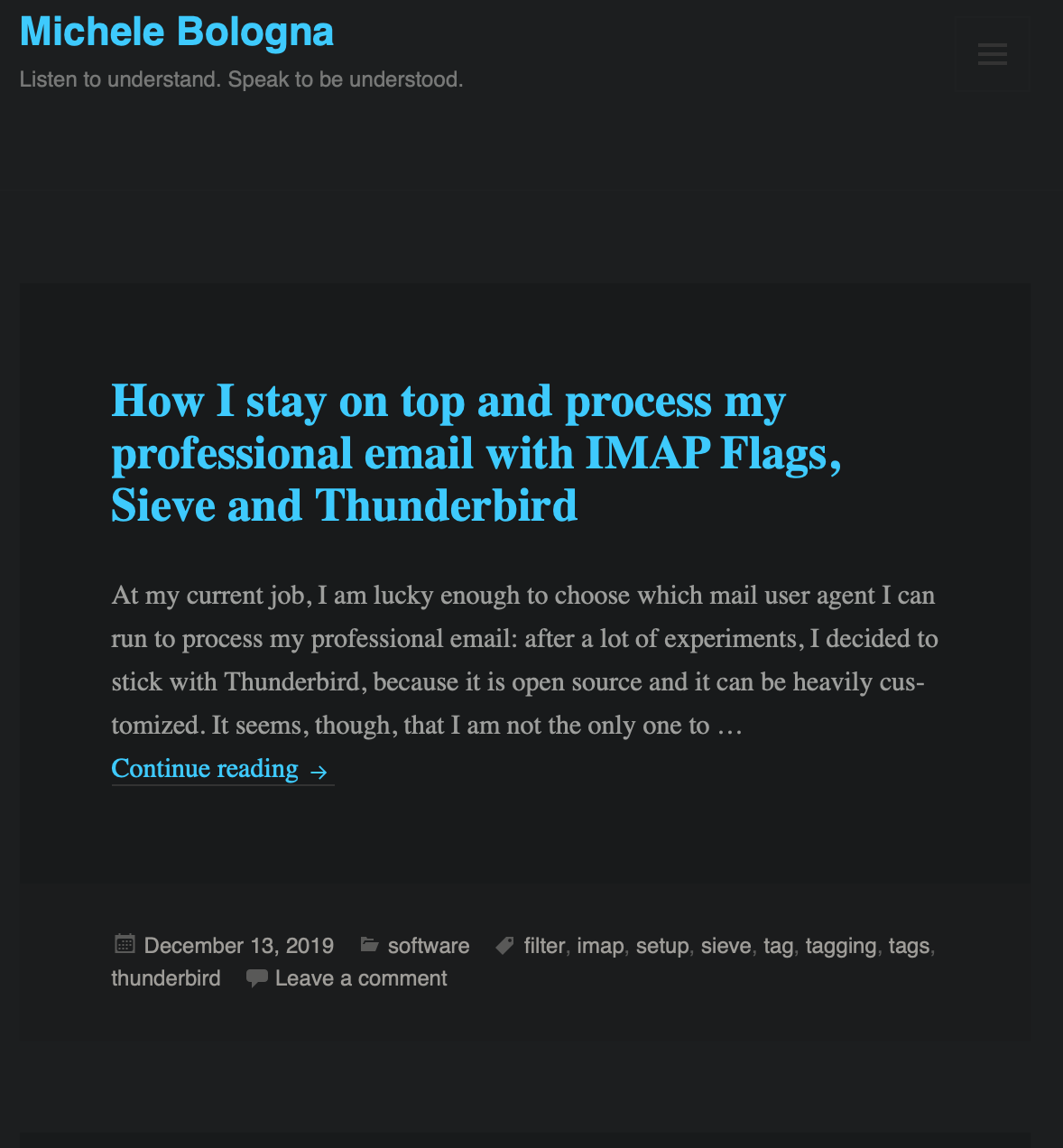
    Michele Bologna dark variant theme
    Michele Bologna dark variant theme

    Under the hood

    For you techies out there, to roll out your dark variant for your website, you need:

    1. Good taste in style and colors (might be subjective)
    2. CSS and prefers-color-scheme directive

    All the CSS rules specific to the dark variant will be delimited by the prefers-color-scheme: dark selector in this way:

    @media (prefers-color-scheme: dark) {
    [...]
    a, .site-info > a {
    color: #33C9FF;
    [...]
    

    If you are using WordPress, a good starting point is Adding Dark Mode Styles (CSS) To A WordPress Theme.

    Happy tweaking!

  • HTML5 e CSS avanzato: una guida per (re)-impararli

    Nonostante HTML5 sia ancora un release candidate al momento della scrittura di questo post, molte delle peculiarità del linguaggio sono supportate dai browser più evoluti (Chrome, Safari, Firefox, Opera ed IE10).

    Ho deciso di fare un ripasso delle principali istruzioni di typesetting (e di imparare anche i nuovi tag) presenti in HTML5 e delle principali proprietà presenti in CSS. Per questo ripasso mi sono affidato a due guide ben scritte da Shay Howe:

    • Guida base HTML/CSS (comprende anche HTML5 e CSS3). Non fatevi ingannare dalla presenza della parola “base”, perché i concetti esposti sono tutt’altro che base. Per esempio, grazie a questa guida ho ripassato il box-model e il posizionamento degli elementi in CSS [vi ricordate la differenza tra static, relative, absolute e fixed?]. Segnalo anche la presenza della guida ai gradienti CSS3, un’esauriente carrellata di tutte le lists [sapete usare una definition list?], i nuovi controlli per i form in HTML5, gli onnipresenti nuovi tag per audio/video ed infine le tabelle [sapete cos’è la property border-collapse?];
    • Guida avanzata HTML/CSS. Dopo aver assimilato i concetti presenti nella guida precedente, in questa guida segnalo alcuni concetti interessanti come gli sprite CSS, i selettori CSS composti (:nth-child), i preprocessori HTML e CSS (haml e SASS).

    Entrambe le guide sono ben fatte e ricche di consigli preziosi come la minification, l’abilitazione di mod_gzip e tante altre informazioni utili. Da salvare nei bookmark!

  • Modificare facilmente il tema di WordPress usando solo Firefox

    Daniele Salamina ha creato un tutorial (in video) che spiega come modificare il tema di WordPress semplicemente usando Firebug, un’estensione per il famosissimo browser Firefox. Daniele sottolinea che mediante Firebug non è assolutamente necessaria la conoscenza dei CSS. Ma ecco il video:

    L’articolo di Daniele Salamina è disponibile qui.