Tag: browser

  • A comparison between browser features on desktop and mobile iOS

    I am a long time user of Firefox and Chrome on desktops (GNU/Linux and macOS), while I rely on Chrome on my iOS devices.
    Recently there has been some valid critics of Chrome and its privacy choices and I began to look around for an alternative of Chrome.

    I identified a list of features that I consider a must-have in the browser I use and I decided to give a try to other browsers as well.

    To present the results, I designed this table:

    [table id=1 /]

    [1] On Opera iOS, even if “Block ads” was enabled, I could still see AdSense ads.
    [2] Obviously, Safari is not released for GNU/Linux, hence this limitation.
    [3] Via uBlock Origin extension (desktop only).
    [4] Via Firefox Focus WebView extension (iOS only).
    [5] Via Reader View extension (desktop only).

    Considering all my needs expressed in the table, I will be continuing using Firefox on desktops, and I will switch my mobile browser of choice to Firefox.

    What are your experiences with browsers on desktop and mobiles? What browser do you use?
  • Replacing Xmarks cross-browser sync service with Eversync

    I have a huge collection of bookmarks I collected over the years and I always have had the need to sync my bookmarks between my browsers of choice; Xmarks has always been one of the browser extensions I used for this need.

    Unfortunately, Xmarks is shutting down on May 1, 2018. I looked for some alternatives, like:

    I finally found Eversync: just signup (take a look at their pricing) and install their extension on all your browsers and keep your bookmarks in sync. The concept is the same as in Xmarks. They also offer a mobile app.

  • La situazione della compatibilità con HTML5 dei browser più utilizzati

    HTML5 sta arrivando. Apple, Microsoft e Google stanno già sostenendo lo sviluppo e l’implementazione di questo nuovo standard; avendolo provato con mano quando lo utilizzo su YouTube HTML5 Beta per guardare i video senza il Flash Player di Adobe, ne sono già entusiasta [Nota: mi guardo bene, per ora, dal prendere posizioni a favore/a sfavore di Flash].

    Fatta questa premessa, il sito HTML5 test permette di valutare quanto è aderente alle specifiche il browser che stiamo utilizzando. Il sito è in continuo sviluppo ma è un buon mezzo per conoscere quanto il browser che utilizziamo è pronto al salto verso HTML5.

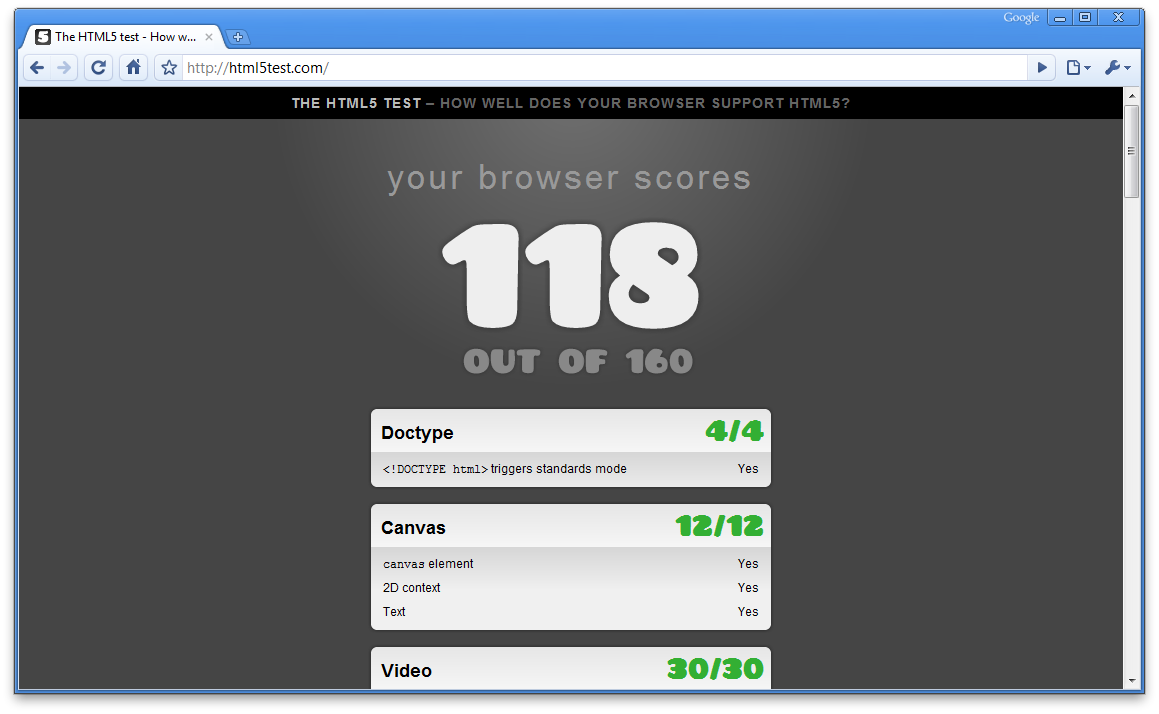
    Di conseguenza mi è venuta la curiosità di sapere quale fosse il browser (stabile) che raggiungesse il punteggio più alto in questa “competizione”, ed ho ottenuto questi risultati:

    • Windows Internet Explorer (rendering Trident) 8.0.7600.16385: 19/160
    • Mozilla Firefox (rendering Gecko) 3.6.3: 101/160
    • Apple Safari (rendering WebKit) 4.0.5 (6531.22.7): 113/160
    • Google Chrome (rendering WebKit) 4.1.249.1064 (45376): 118/160

    Conclusioni

    • Non ho testato Opera/Presto
    • Internet Explorer ottiene un punteggio molto basso rispetto ai suoi concorrenti, che tutto sommato ottengono un punteggio molto simile
    • Chrome ottiene il punteggio più alto: Google sta spingendo molto su HTML5 (una prova è YouTube in HTML5).